Devices
Use the Devices (Care Locations) page to view and edit Teladoc Health devices and configure user access for devices in your organization. You can sort the table by all five columns. If the device is inactive an inactive button in its row will be displayed.
Click the filter button ( ) to filter the table by all devices (the default), online devices, or offline devices.
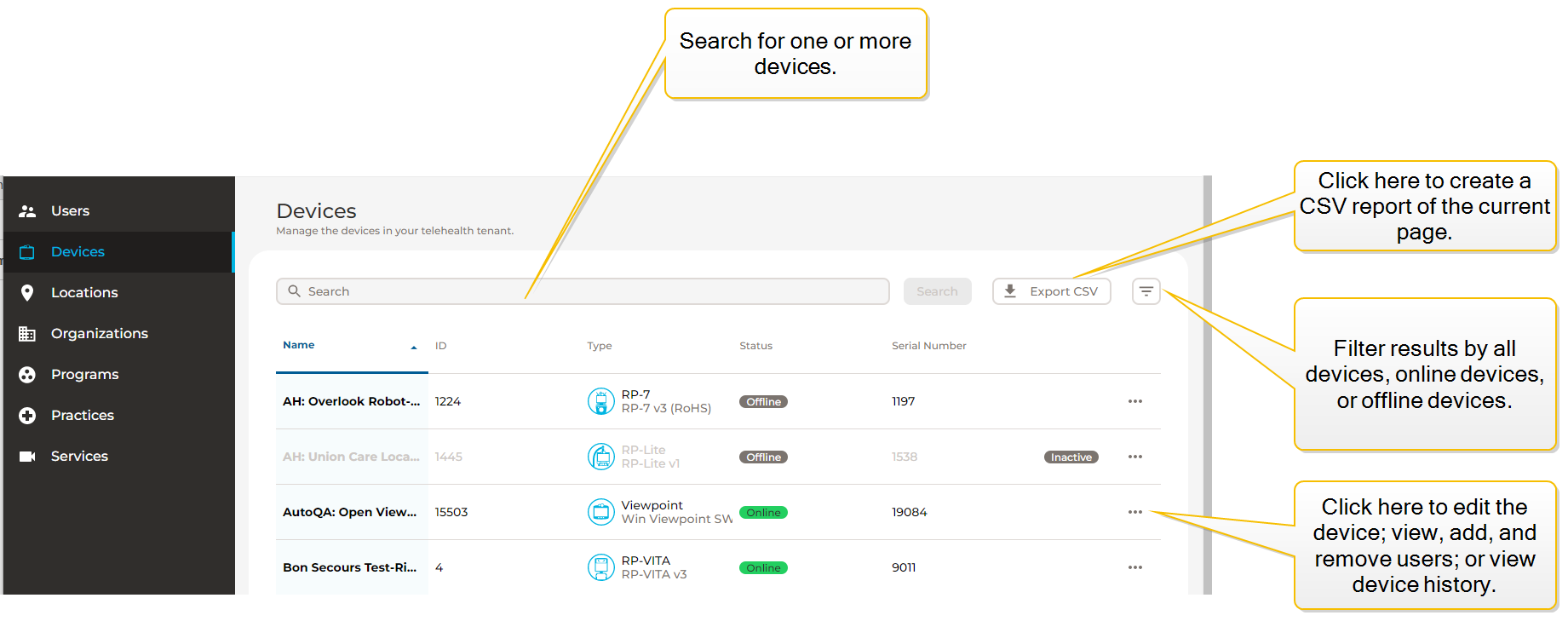
| Column | Description |
|---|---|
| Name | The name of the device. |
| ID | The device's ID number |
| Type | The type of device. Devices are categorized by product type and within that category, there are the product sub-types. Product Type and Subtype names identify the software version that a device has. |
| Status | Whether the device is online or offline. |
| Serial Number | The device's serial number. |
Definitions
Care Locations
A physical place where a product is that is managed and where the product is a device. Care locations typically have a 1:1 association with a device and a care location name is typically used to reference a device.
Devices
A telehealth device associated to a care location. The software that powers it is either installed by Teladoc Health or by a customer using a Teladoc Health Viewpoint license.