Invite Participants
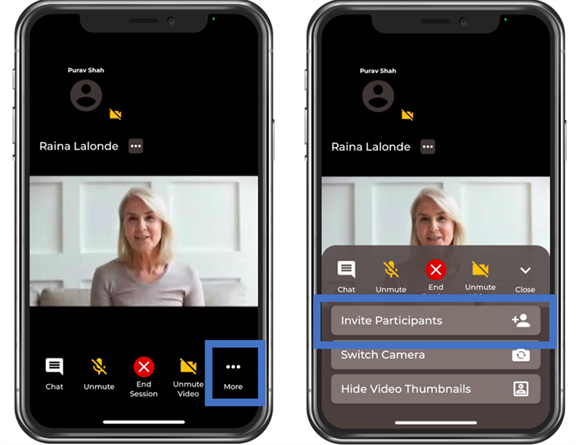
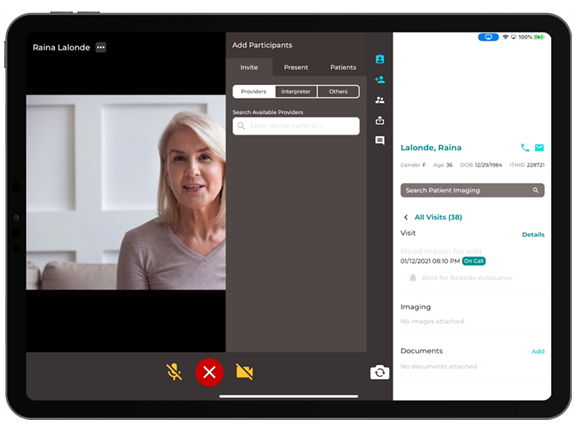
Invite your patient, an interpreter, other practitioner or expert.
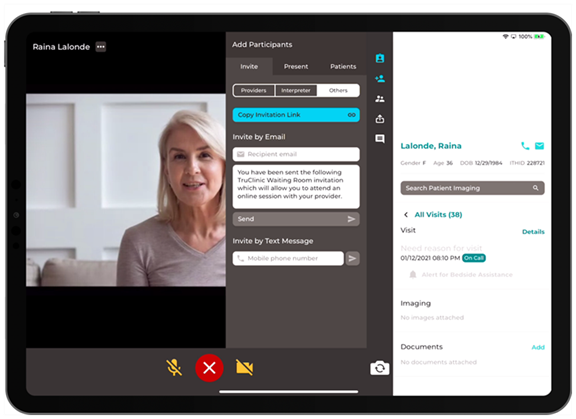
- Select Invite Participants.
- Select to Add a participant from the top of the screen.
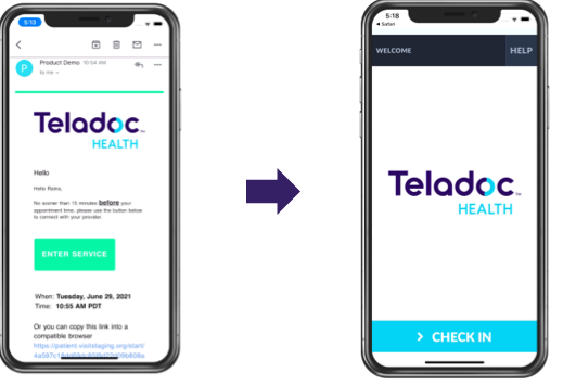
- Select the Copy invitation link to send an email to your patient automatically. If your patient has the iOS App installed on their device, it will launch when they select the appointment link.
- Enter your phone number in the Invite by Text Message to receive a SMS message.
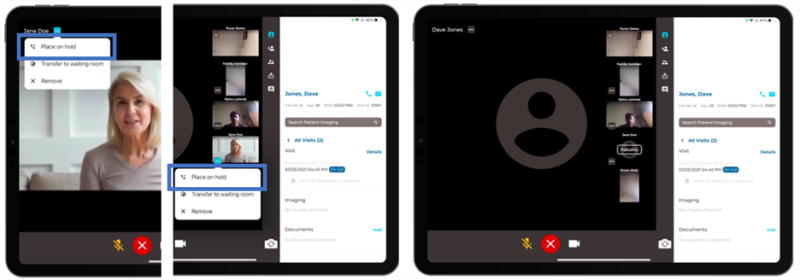
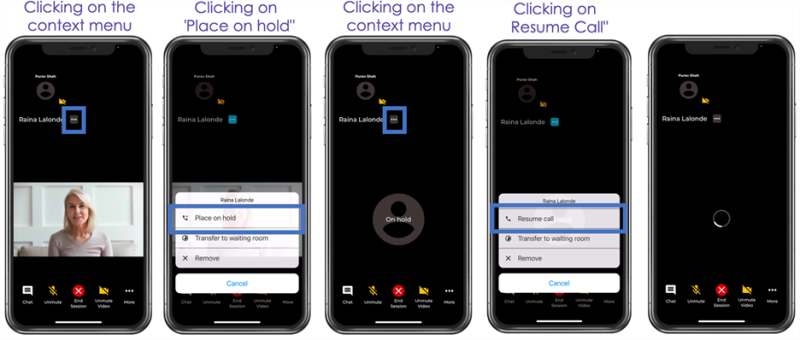
- Practitioners can put individual patients On Hold within a virtual encounter so they can have a private conversation with other users. Practitioners can then resume the on going call with their patient by clicking on the Resume button.
NOTE: Nudge users to native app: If the user has the appropriate iOS App installed on their device and when a user clicks on the appointment link, then it will launch the iOS App and take the user to the appropriate screen in the app.